Reading the results
Reports and exports
Nine reports, each written for a different reader — what you hand to an engineer, an executive, or somebody doing due diligence on you.
The nine report types
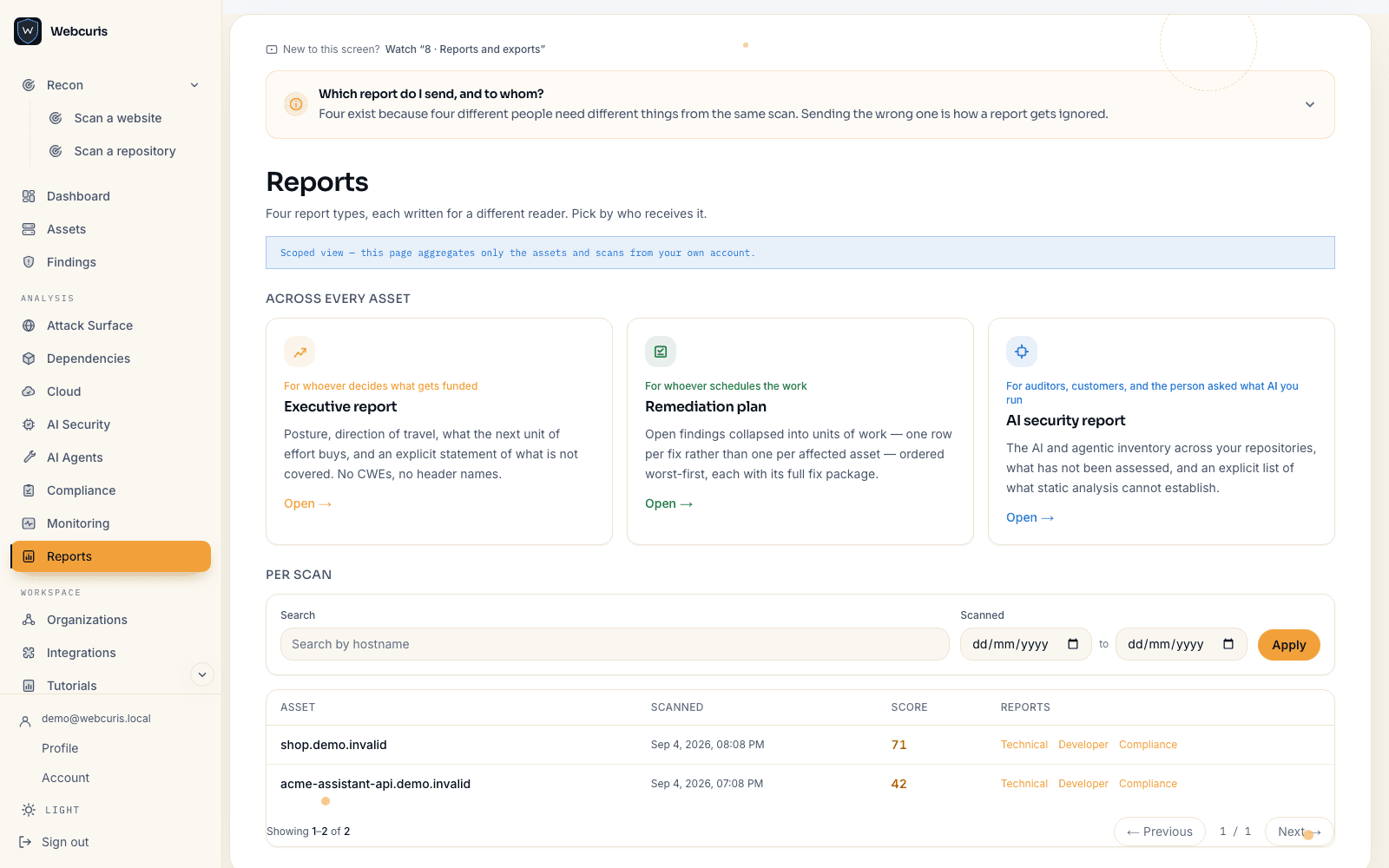
Different readers need different documents, and a single PDF serves none of them well. Six are produced from one scan; three span the whole portfolio.
Per scan — Technical report, Compliance view, Developer report, Hardening config, Attacker's view, Incident runbook. The hardening config, attacker's view and incident runbook are offered on website scans only, because each is a derivation over facts a repository scan does not have.
Across the portfolio — Executive report, Remediation plan, AI security report.
- Technical report — the findings with evidence, severity and confidence, for the engineer fixing them.
- Compliance view — the same scan mapped onto framework control areas.
- Developer report — line-level pointers and paste-ready fixes.
- Hardening config — only the missing headers, as configuration for eight platforms, CSP offered report-only.
- Attacker's view — the reconnaissance minute in the order it happened, with dead ends marked as dead ends rather than omitted.
- Incident runbook — this asset's registrar, platform, mail and storage named, with evidence-before-cleanup ordering.
- Executive report — the portfolio's position and its direction, without a finding list.
- Remediation plan — ordered by what to fix first, with the evidence attached to each item.
- AI security report — the AI bill of materials and what was assessed about it.
Machine-readable exports
Findings export as JSON, dependencies as an SBOM, and a completed scan can carry an in-toto attestation so a downstream system can verify the scan happened and what it produced.
Confidence survives the export
Every exported finding keeps its confidence grade. A report that flattens inference and fact into one list is a report that will eventually be acted on wrongly.