Operating the platform
Compliance mapping
Findings mapped onto 5 frameworks — as context, never as audit evidence.
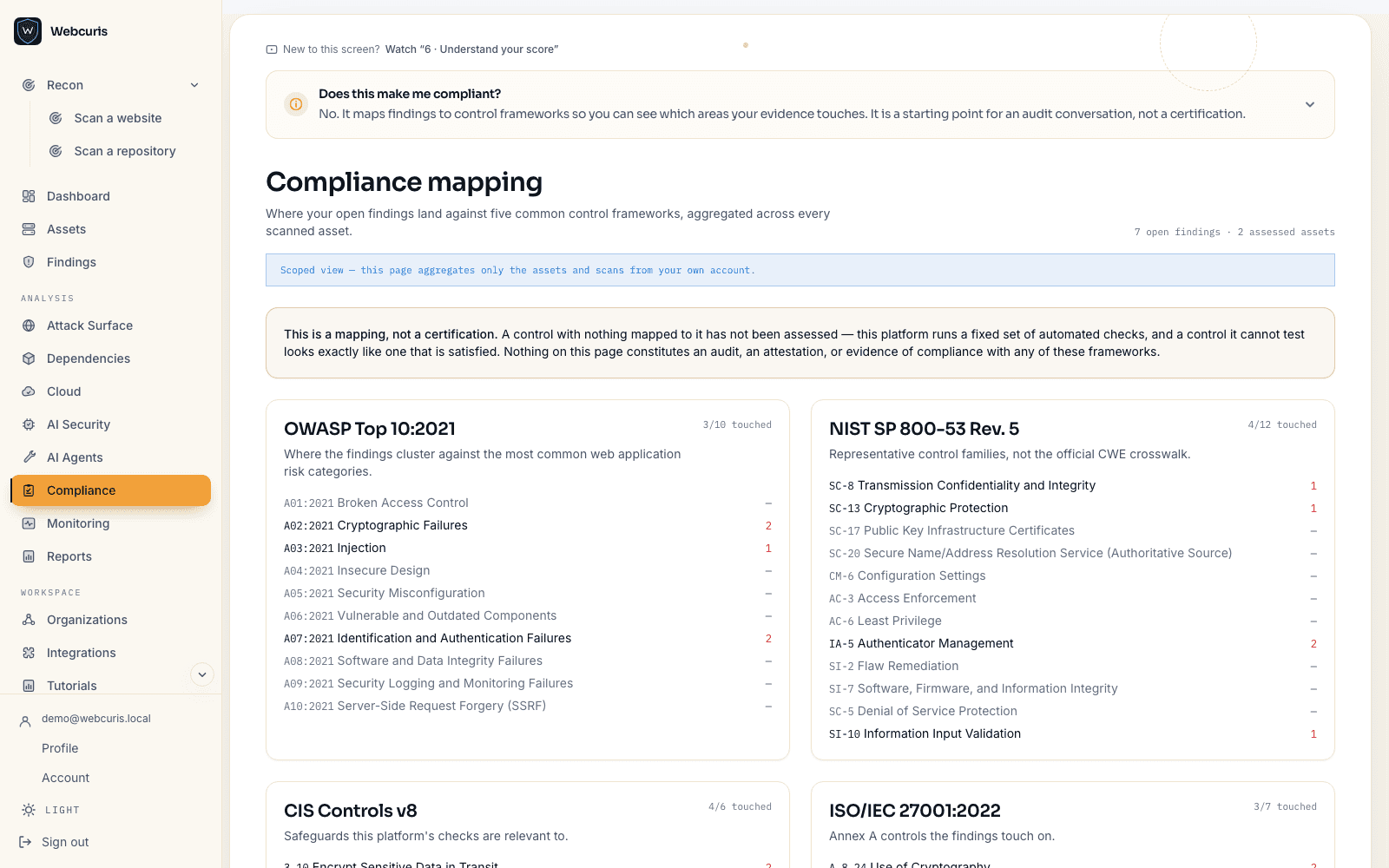
How to see your mapping
There is nothing to configure. The mapping is derived from findings you already have, so it appears as soon as anything has been scanned.
- Scan at least one asset — a website, a repository, or both.
- Open Compliance in the sidebar.
- Pick a framework. Each control area shows how many of your findings are relevant to it.
- Open a control area to see the findings behind the number, and fix from there.
The 5 frameworks
Mapping is by CWE. A finding reaches a control area because of the class of weakness it is, not because somebody tagged it by hand — which is why a new check appears in the mapping without any mapping work.
- OWASP Top 10 (2021) — 10 categories mapped
- NIST SP 800-53 — 12 controls mapped
- CIS Controls v8 — 6 safeguards mapped
- ISO/IEC 27001:2022 — 7 controls mapped
- SOC 2 Trust Services Criteria — 5 criteria mapped
What this page does
It maps the findings the platform produced onto the control areas of common frameworks, so you can see which parts of a framework your current findings are relevant to.
The counts are real. What they mean is 'findings relevant to this control area' — not 'this control is satisfied'.
Nothing mapped is not passing
A control with zero findings mapped to it is shown as 'nothing mapped', never as passing. This distinction is the entire point of the page.
The platform runs a fixed set of checks. A control it cannot assess produces no findings — and so does a control that is genuinely satisfied. From the outside those two states are indistinguishable, and colouring them both green would turn a scanner into a certificate it has not earned.
What this does not do
This is not audit evidence. There is no SOC 2 report and no third-party penetration test of this service; the mapping is context for your own work, not a substitute for an assessor.