Running a scan
Deep scan
Four additional checks that send requests an ordinary visitor would not — and stay locked until the domain is proved yours.
How to run one
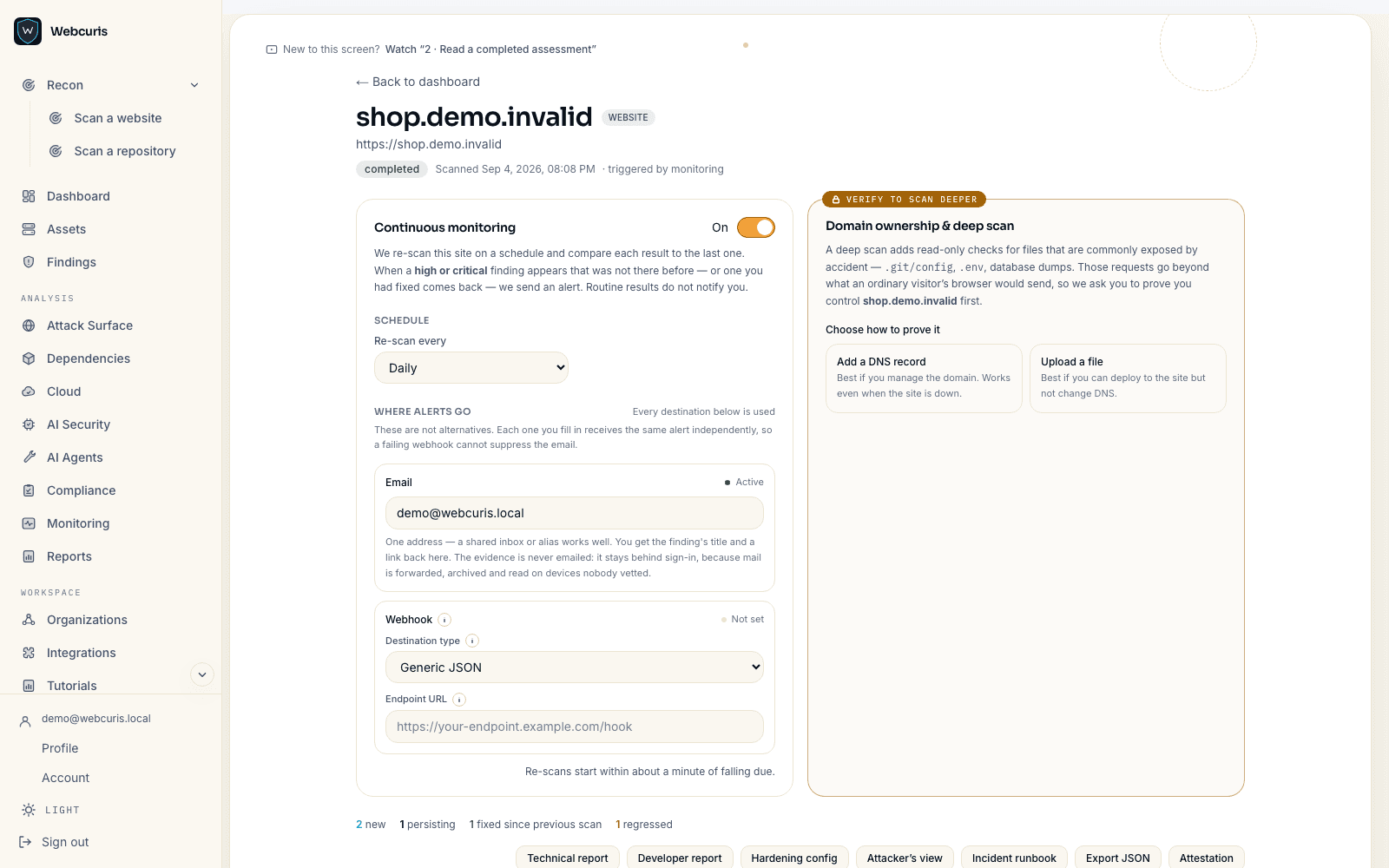
A deep scan is a standard scan plus four more checks, and it only becomes available once the domain is proved yours.
- Scan the site once normally, from Recon → Scan a website. This creates the asset.
- Open the scan and find the verification panel. Copy the TXT record it shows — the record name and the value are shown separately, because most DNS forms ask for them in separate fields.
- Add that record at your DNS provider, then press check. Propagation is usually minutes and a failed attempt costs nothing.
- Once verified, run the scan again. The deep checks now appear in the list and run automatically.
- To assess pages behind a login, paste a session cookie into the authenticated-scan field before starting. It is deleted when the scan ends.
Why it is gated
Every check in the deep pass sends a request a normal visitor's browser would not send. Requesting paths that should not exist, submitting a login form, probing an endpoint for reflected input. Running those against somebody else's site is the part that would be unlawful, which is why they wait for proof of ownership rather than for a payment.
The gate is not a plan feature. It cannot be lifted by upgrading, and it applies to Webcuris's own account exactly as it applies to everyone else.
What this does not do
Deep checks are short by design. If the list looks smaller than you expected, that is the point — everything that could be done safely has already been done in the standard pass.
What the deep pass adds
Four checks, each conclusive without exercising what it finds.
- Exposed-path probing — requests for the paths that should not answer: version-control directories, backups, configuration dumps, debug endpoints.
- Safe-active injection probes — non-destructive payloads for open redirect, reflected input, path traversal and server-side template injection. Reflection is reported as a precursor to XSS, never as proven XSS.
- Login surface hardening — CSRF tokens, credentials in the clear, password-manager hostility, caching of authenticated pages, second-factor signals, and a rate-limit probe.
- gRPC service discovery — whether a gRPC endpoint answers reflection requests and exposes its service definitions.
The rate-limit probe, specifically
It submits a sign-in form six times using an address at the reserved .invalid top-level domain, with a random local part. That address cannot be registered by anyone, so the probe cannot lock out a real account no matter how the target's lockout policy is written.
Enumeration, password policy, reset-token strength and logout invalidation are reported as not tested, each with the reason. Testing them honestly would mean holding a real credential.
Scanning behind a login
A deep scan can assess pages that only exist for a signed-in user, if you lend it a session. You paste the session cookie; it is encrypted while queued, sent only to the target's own origin, dropped the moment a redirect crosses to another origin, and deleted when the scan ends. Nothing is stored, and the cookie is redacted from any error message.
The result tells you whether the session actually signed the scanner in, because a lent cookie that silently expired would otherwise produce a confident report about a login page.