Priced on how much you watch, not on what it finds.
Every plan runs the same engine and the same checks. What changes is how many assets you cover, how often they are re-read, and what the platform does with the result.
Billing cycle
Pay yearly and get nearly 2 months free
Free
Assess one thing properly.
$0forever
Available now
Start free assessmentSign-up is open and free, with no card. Free is the scanner: run it, read the findings, fix them. The portfolio layer — monitoring, correlation, AI red-team, exports and the API — is what Pro adds. Adding a second domain or repository is where Free stops.
- 1 domain and 1 repository
- The standard scan — the same requests an ordinary visitor makes, safe against production
- Severity, confidence and a fix for every finding
- Attack-path correlation within a single scan
- The HTML report for each scan
- Findings kept, searchable, and yours to export by hand
ProRecommended
Continuous assessment for a growing surface.
$39per month
or $399 a year — nearly 2 months free
Available now
Start with ProCheckout runs through Polar, our merchant of record — card details never reach this application. Every capability listed below is already running, and the scope numbers are applied: adding an asset beyond them asks you to upgrade rather than failing. Re-scanning what you already have is never capped.
- 5 domains and 5 repositories
- Continuous monitoring on a schedule you set
- Cross-asset correlation — credential reuse, chronic regression
- AI red-team checks and agent-tooling risk analysis
- EPSS exploit-prediction on dependency findings
- SBOM export, JSON export, and scan attestations
- API keys, CLI, and CI/CD score gating
- Alerts to Slack, PagerDuty, Datadog, Splunk, or any webhook
- Compliance mapping: OWASP, NIST 800-53, CIS v8, ISO 27001, SOC 2
- Organisations with shared scanning scope
- Cross-portfolio risk sections and executive reports
- All nine report types, attestation included
Business
The same product, with more room.
$79per month
or $799 a year — nearly 2 months free
Available now
Start with BusinessSame status as Pro: buy it from your account settings. Business adds no features over Pro — every capability on the Pro card is included at the same depth. What it adds is scope: more than twice the domains and repositories, applied at the point you add an asset, not billed for afterwards.
- 12 domains and 12 repositories
- Everything in Pro — every feature, at the same depth
- Room for a larger portfolio under one account
- Re-scanning is never capped, on any plan
Need more than 12 of anything?
There is no larger plan to buy yet, and no sales process to enter. The governance, isolation and audit answers an enterprise review asks for are published in full.
Where this standsPrices are shown before tax. Polar adds GST, VAT or your local equivalent at checkout, at the rate for your country, and shows the total before you confirm — a business supplying a GSTIN or VAT number there is charged no tax, because the obligation moves to you. Checkout runs through Polar, our merchant of record, so card details never reach this application. The scope numbers above are applied, at the point you add a domain or a repository beyond them: you are shown what your plan includes and what raises it, rather than a failure. Everything already scanned stays, and re-scanning is never capped — a plan bounds how much you watch, not how often you look at it.
Enterprise
Your logo. Your client’s name. Not ours.
If you assess other people’s systems for a living, the report is your deliverable. White-label reporting puts your mark, your colour and your contact details on every one of them, and names the client each was prepared for — in the document and in the title your browser prints at the top of the PDF.
- All nine report types — technical report, compliance view, developer report, hardening config, attacker's view, incident runbook, executive report, remediation plan and ai security report.
- One client name per domain, so an agency with twelve clients gets twelve correctly-headed reports.
- Your logo, your accent colour, your contact line, your confidentiality footer.
- Only the URL your browser prints beside the title is still ours — one checkbox in the print dialog removes it.
One thing stays: the sentence saying an automated scan can produce false positives and is not a certification. It is true of the engine whoever’s logo is at the top, and a report is exactly where it matters. Your own wording is added beneath it.
Security Scan Report
acme.example
https://acme.example
Northgate Security
security@northgate.example
- Scope
- 1 domain
- Prepared for
- Acme Ltd
Missing Strict-Transport-Security
DOM sink writes HTML
Cookie without SameSite
Confidential. Prepared for the named client and not for onward distribution.
Illustration — Northgate Security is not a real customer
Compare
Line by line.
| Capability | Free | Pro | Business | Enterprise |
|---|---|---|---|---|
| Scope | ||||
| Domains | 1 | 5 | 12 | Custom |
| Repositories | 1 | 5 | 12 | Custom |
| Team members | 1 | Organisations | Organisations | Organisations |
| Assessment | ||||
| All check categories | Yes | Yes | Yes | Yes |
| AI/LLM usage risk detection | Yes | Yes | Yes | Yes |
| Severity and confidence | Yes | Yes | Yes | Yes |
| Correlation within a scan | Yes | Yes | Yes | Yes |
| Correlation across assets | — | Yes | Yes | Yes |
| AI red-team and agent-tooling checks | — | Yes | Yes | Yes |
| EPSS exploit prediction | — | Yes | Yes | Yes |
| Continuous monitoring | — | Yes | Yes | Yes |
| Output | ||||
| HTML report | Yes | Yes | Yes | Yes |
| Compliance report | — | — | Yes | Yes |
| SBOM and JSON export | — | Yes | Yes | Yes |
| Scan attestations | — | Yes | Yes | Yes |
| Executive and portfolio reports | — | — | Yes | Yes |
| White-label client reporting | — | — | — | Yes |
| Workflow | ||||
| API keys and CLI | — | Yes | Yes | Yes |
| MCP server for AI assistants | — | Yes | Yes | Yes |
| CI/CD score gating | — | Yes | Yes | Yes |
| Slack, PagerDuty, Datadog, Splunk | — | Yes | Yes | Yes |
| Organisations with shared scope | — | — | Yes | Yes |
| Tamper-evident audit log | Yes | Yes | Yes | Yes |
| Two-factor authentication | Yes | Yes | Yes | Yes |
| Client name on every report | — | — | — | Yes |
Every value in every column is what the plan includes. Limits apply at the point you add a domain or a repository beyond them; nothing already scanned is taken away. Scan history is kept until you delete it, unless a retention window is in force — the Data Retention page states the period.
Questions
Before you commit.
Still unsure which plan fits? Start on Free — it is the same engine, and moving up later keeps every finding and every scan you have already collected.
Can I use Webcuris from Claude, ChatGPT or Cursor?
Yes, on Pro and Business. Webcuris is an MCP server: connect it in the assistant's settings, sign in once through your account, and ask for scans and findings in plain words. The assistant has your plan's abilities and nothing more. It is not part of the Free plan: a Free account that tries to connect is told so on the approval page and nothing is granted.
Can I pay for Pro or Business right now?
Yes. Checkout runs through Polar and takes a card on their hosted page — card details never reach this application. Your plan is active the moment the payment clears, and you can change or cancel it from your account settings without talking to anyone.
So what actually stops me exceeding the Free limits?
The limits are applied at the point you add a domain or a repository beyond them: you are shown what your plan includes, what you are using, and which plan raises it. Nothing already scanned is taken away, and re-scanning what you have is never capped — a plan bounds how much you watch, not how often you look at it.
Who issues my invoice, and what about tax?
Polar does, because Polar is the merchant of record — the legal seller on your transaction, not a payment processor passing money through to us. It charges the tax that applies where you are, under its own registrations, remits it to your tax authority, and issues the receipt or invoice. That document is the one to keep; we cannot reissue it, because the sale we are party to is between us and Polar rather than between us and you.
I need a tax invoice in my company's name — GSTIN, VAT number, ABN.
Enter it at checkout rather than afterwards. Where the rules in your country place the tax obligation on the buyer — India's reverse charge for business customers, the EU's for VAT-registered ones — supplying a valid number at the point of sale is what removes the charge and produces the right document. Added later it cannot change an invoice that has already been issued, so it is worth the extra field before you pay.
Is the free tier a time-limited trial?
No. It is free indefinitely, and it runs the full check set rather than a reduced one — including the AI/LLM usage checks. The limits are on scope, not on quality: the engine is the same one in every plan.
What is the difference between Pro and Business?
Scope, and only scope. Pro and Business have exactly the same features — monitoring, correlation, compliance mapping, organisations, every report type, the API. Pro covers 5 domains and 5 repositories; Business raises that to 12 and 12. If you are choosing between them, count your assets.
Can I put my own branding on the reports?
On Enterprise, yes. Your logo, accent colour and contact line replace ours on every report type, and each report names the client it was prepared for — the client name is set per domain, so an agency with twelve clients gets twelve correctly-headed reports. One sentence is never removed: the note saying an automated scan can produce false positives and is not a certification. Your own confidentiality wording is added beneath it. Enterprise is arranged with us rather than bought from the pricing page.
How long is my scan history kept?
Until you delete it, unless a retention window is in force: the Data Retention page states the period, and with one set a scheduled sweep removes older scans. You can export your data and delete your account yourself from the account page.
Does scanning slow down or affect my sites?
External checks are equivalent to a handful of ordinary browser requests. Checks that go beyond that stay locked until you prove domain ownership with a DNS record or a hosted file.
Keep reading
Where most people go next
Latest from the field notes
All articles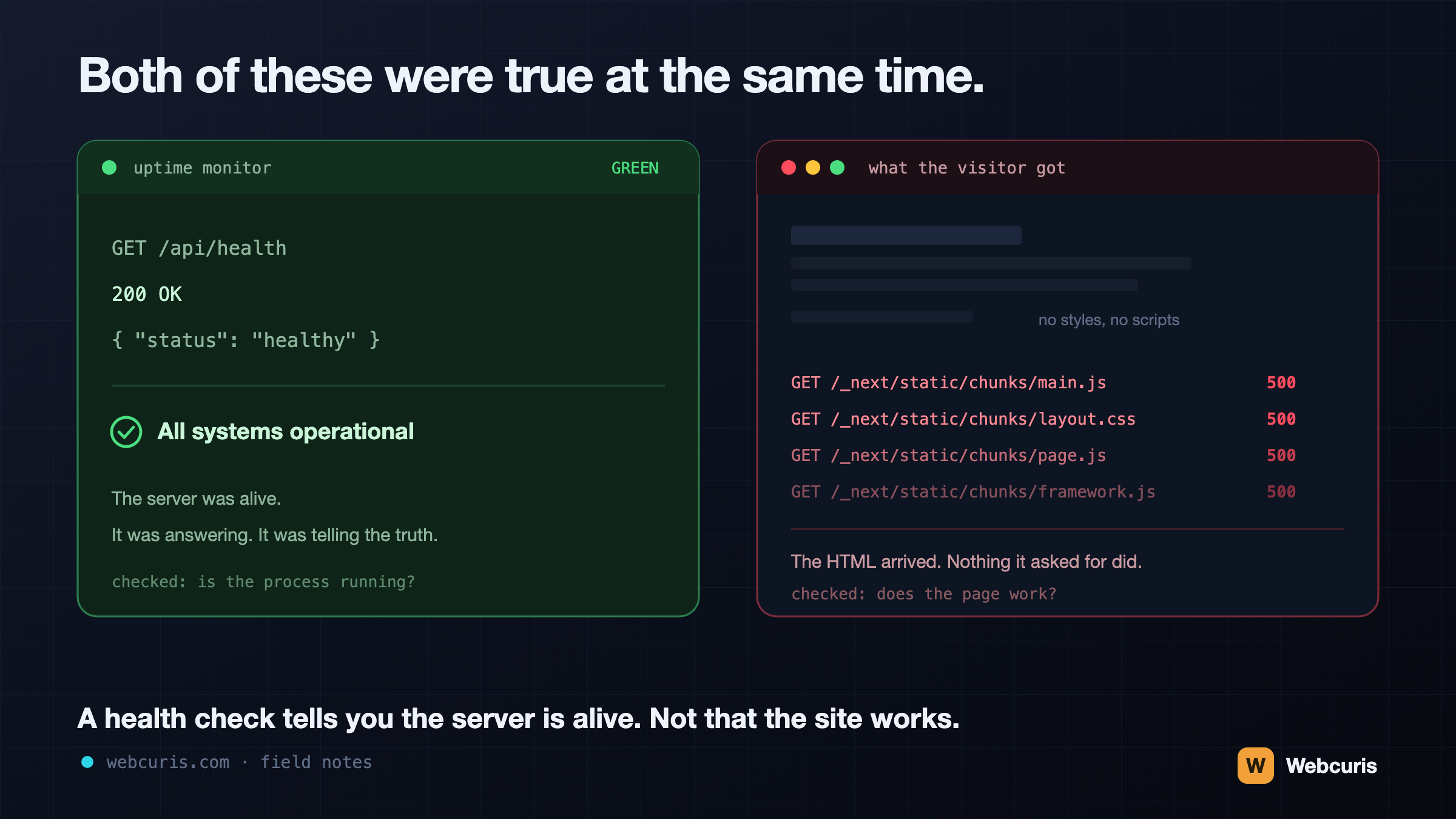
Your monitoring is watching the wrong end of the request
Our uptime monitor was green while every visitor saw an unstyled page. It was the second time every server-side signal agreed the site was fine while the browser disagreed — and the two incidents share a shape worth naming.
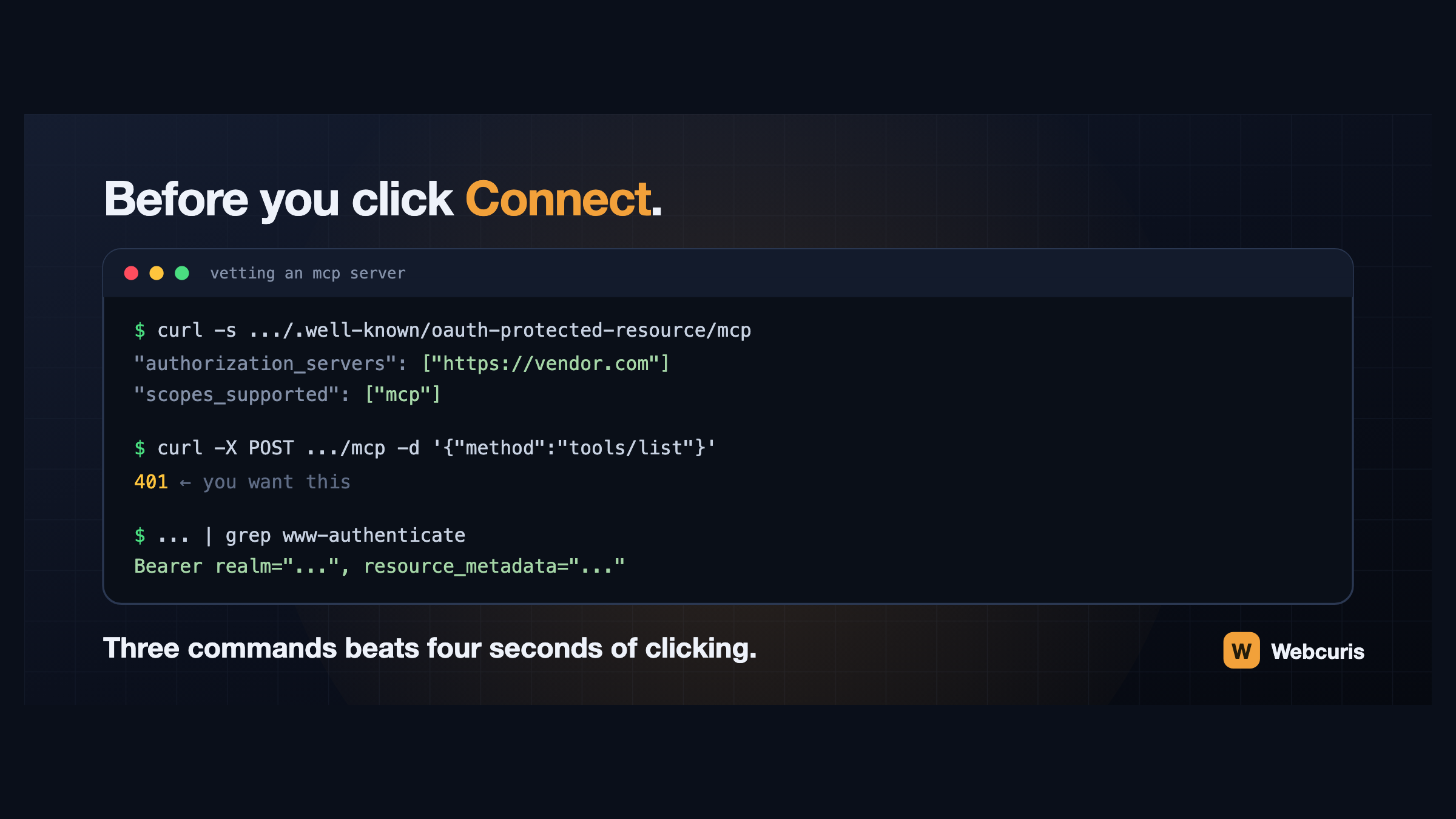
Before you connect that MCP server, run these three commands
Connecting an AI assistant to a tool takes four seconds and grants a language model your permissions. Three commands, run first, tell you how the server authenticates and whether it follows the specification at all.
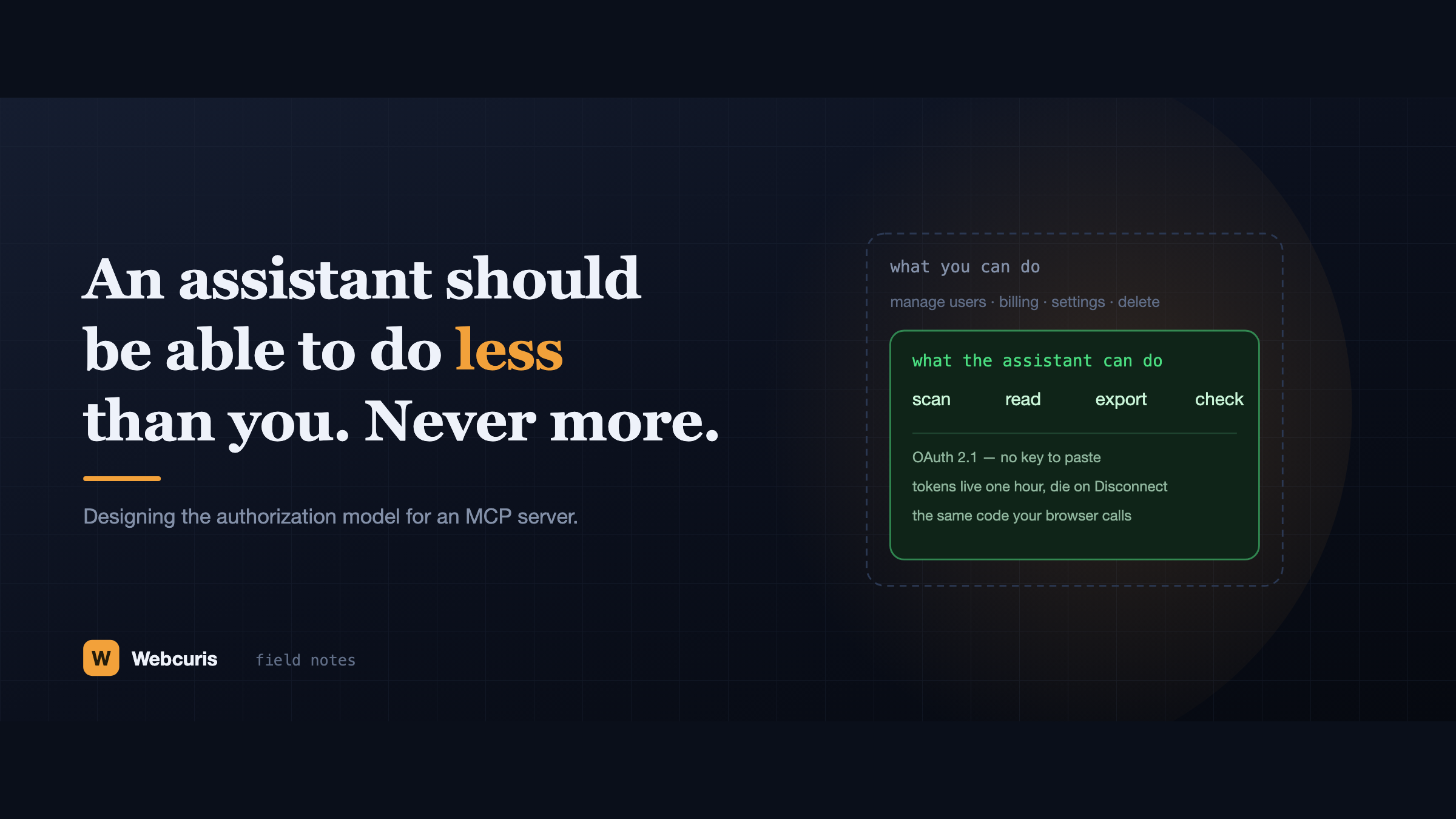
An assistant should be able to do less than you. Never more.
Everyone is connecting AI assistants to their tools by pasting an API key that never expires and isn't scoped to anything. Here is the authorization model we built instead, and the six decisions behind it.
Start with one domain.
You will know within one scan whether this tells you something you did not already know.